 A Debt Free Empire brand
Your money deserves clarity, not judgment.
Meet Paper & Prosperity—a calmer way to organize your budget, track debt, build savings, and understand your financial picture. Start with the numbers you have today and update your plan as life changes.


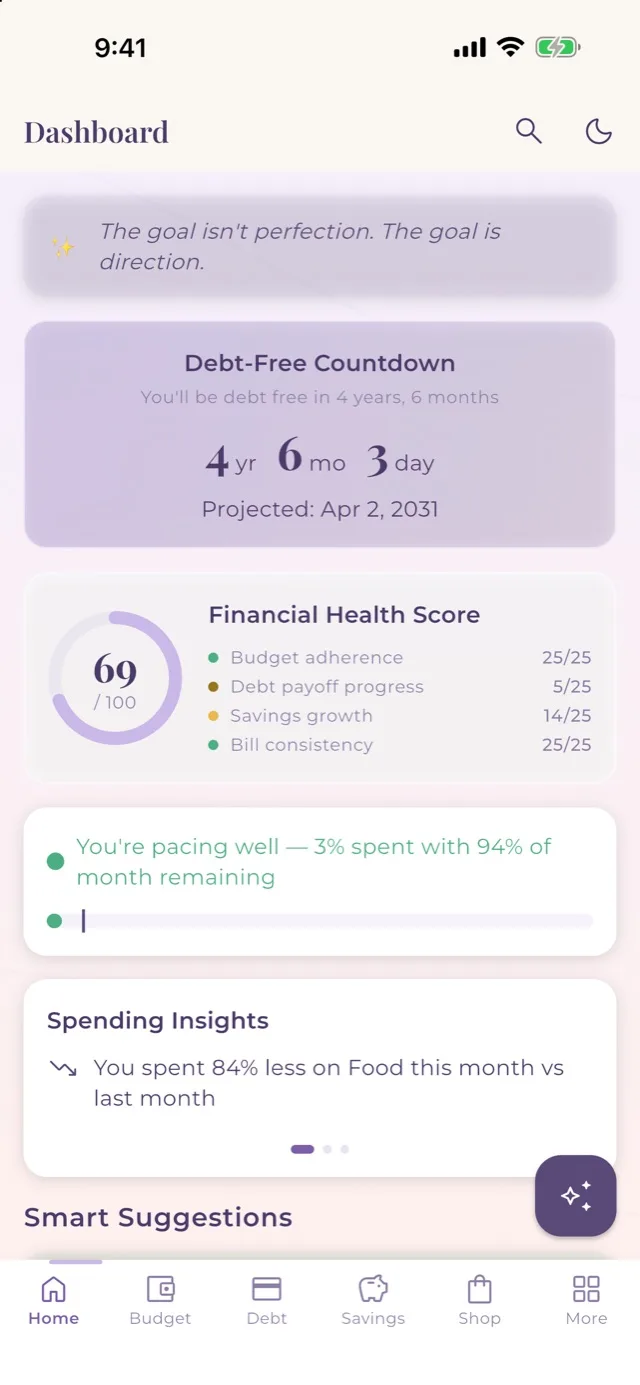
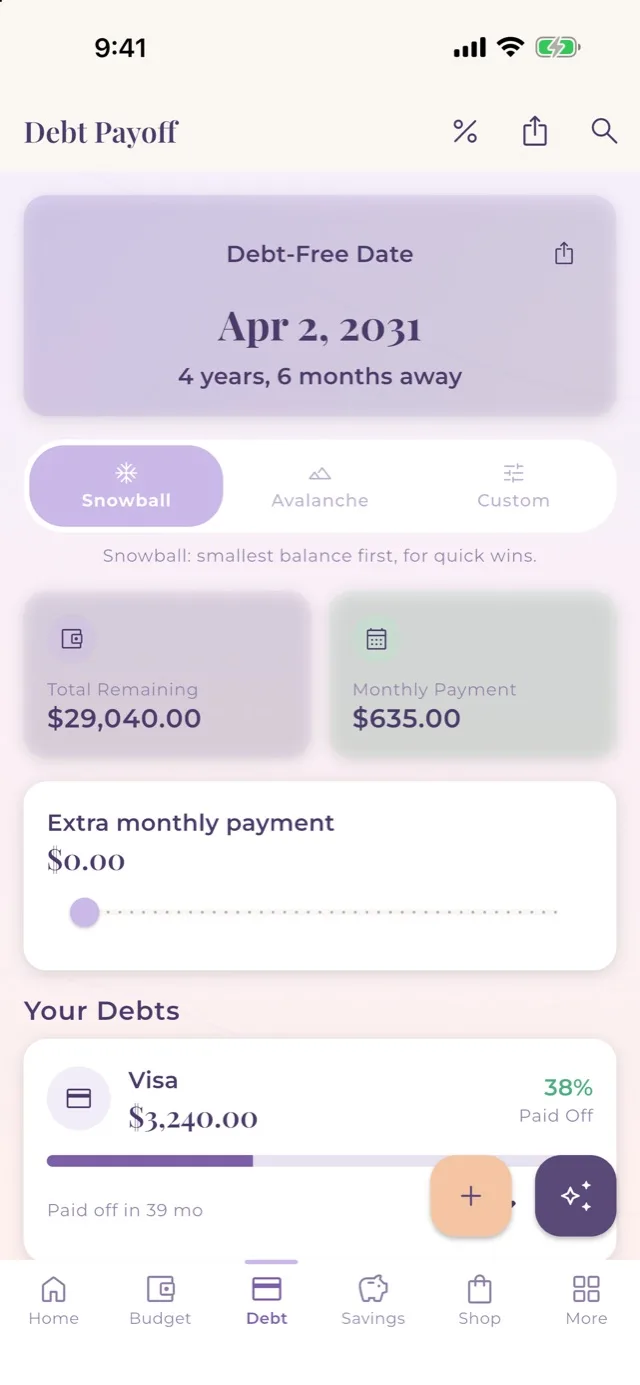
What the app helps you do
See your estimated debt-free date automatically — so you can finally see the finish line.
Build savings for what matters most — watch your progress grow every month.
Every dollar has a job. Know exactly where your money is going before you spend it.
Never miss a payment again — see every bill before it's due.
Ask anything about your budget and get answers based on your actual numbers.
Explore with example data — no account needed
Get Started in 2 Minutes
Pay off debt, build savings, or get a handle on your budget.
Weekly, every two weeks, or monthly.
See your daily budget and your debt-free date at a glance.
Prefer a spreadsheet or a printable?
Choose the format that fits your routine. Explore detailed spreadsheets for planning or practical printables for organizing everyday life.
Built to make everyday life feel more manageable.
I created Paper & Prosperity because organizing your money and everyday responsibilities can feel overwhelming. My goal is to offer thoughtful, practical tools that give you somewhere to begin.
You do not need a perfect plan to get started. Start with what you know, make changes as you go, and choose the tools that work for you.
Thank you for supporting Paper & Prosperity and being part of Debt Free Empire.
— Robert, Founder of Paper & Prosperity
Helpful FAQs
Answers about the app, getting started with budgeting, and our other tools.
About the app
What is Paper & Prosperity?
Paper & Prosperity is a Debt Free Empire brand offering a personal-finance app, spreadsheets, and printables for organizing money and everyday life.
Is the app free?
Yes. The Paper & Prosperity app is completely free.
Where can I download the app?
Visit our app page for current download links and supported platforms.
Do I need financial experience?
You do not need to be a financial expert to begin. Start with the information you know and follow the instructions for the tool you choose.
Does the app sync between my devices?
Yes. The app syncs with your own devices through iCloud.
Where is my financial information stored?
Your personal financial data is stored on your own devices and, if you use sync, in your own iCloud account. If you use the optional Your Money Coach, a summary of your budget numbers is sent to an AI service to answer your question.
Who do I contact for app help?
For app assistance, visit the website’s Support page.
Figuring out budgeting
I have never made a budget. Where do I start?
Start with what you know: your income, your regular bills, your debts, and any savings. It does not have to be exact. You can fill in more and correct things as you learn.
What is a zero-based budget?
A zero-based budget means giving every dollar of your income a job, such as bills, savings, or debt payments, so that your income minus your planned spending equals zero. The Monthly Budget in Paper & Prosperity is built around zero-based budgeting.
What is the difference between Snowball and Avalanche?
Snowball pays off your smallest balance first for quick wins. Avalanche pays off your highest interest rate first, which may reduce the total interest you pay. The app’s Debt Payoff tool supports both, and the Debt Simulator shows how different payments may change your estimated timeline.
What if my numbers are not exact?
Estimates are fine to begin with. Update them whenever you learn more. A rough picture you actually use is more helpful than a perfect one you never finish.
How often should I update my budget?
Many people find a short weekly check-in works well, but choose a rhythm that fits your life. Return whenever your income, bills, or goals change.
Spreadsheets and printables
Where can I find spreadsheets and printables?
Visit the Paper & Prosperity Etsy shop to explore the available spreadsheets and printables.
Do the app, spreadsheets, and printables sync?
The app syncs with your own devices through iCloud. The spreadsheets and printables do not sync with the app or with anything else, so if you use more than one, you update your information in each one yourself.
Who do I contact about an Etsy purchase?
Contact Paper & Prosperity through Etsy Messages.
Good to know
Does Paper & Prosperity provide financial advice?
Our tools provide organizational and educational support. Estimates depend on the information entered and are not guaranteed outcomes.
Start where you are. Build at your own pace.
Explore the app or choose another tool that fits your routine.
Common questions
Isn't entering every transaction manually annoying?
Manual entry can be annoying — if you're logging every coffee. Paper & Prosperity is built around scheduled and recurring entries, so your rent, bills, and regular expenses fill in automatically. Most people spend about five minutes a week, not five minutes a day.
I always quit budgeting apps after a few weeks. Will this be different?
Most apps punish you for missing days. Paper & Prosperity has rest days — they pause your streak without breaking it, so a busy week doesn't erase your progress. A short weekly check-in (even just 5 minutes on Sunday) is all it takes to stay on track.
Does it connect to my bank?
No — and that's intentional. You enter your own numbers. Your budget is stored on your device. Only the optional Money Coach sends a summary of your numbers to an AI service when you ask it a question. If you want automatic bank syncing, YNAB or Monarch Money may be a better fit.
Is it really free?
Yes. Paper & Prosperity is completely free — no subscription, no ads, no hidden fees. Available on iPhone, iPad, Android, Mac, and the web.