
Your life, gently laid out.
A calm, all-in-one life planner with nine tabs for money, health, home, people and dreams. Private, with no account, and one purchase with no subscription.
 Windows · $36.99 · 7-day free trial
 Mac · $37 · available nowiPhone & iPad · coming soon
One purchase, no subscription.
On a phone? Empire Life Dashboard is for Mac and Windows today. We plan to release the iPhone and iPad version as part of the same App Store purchase, so Mac App Store buyers should get it at no extra cost when it arrives. Join the iPhone list to hear first, including about launch pricing.
Nine calm tabs
Everything in one place, one gentle tab at a time.
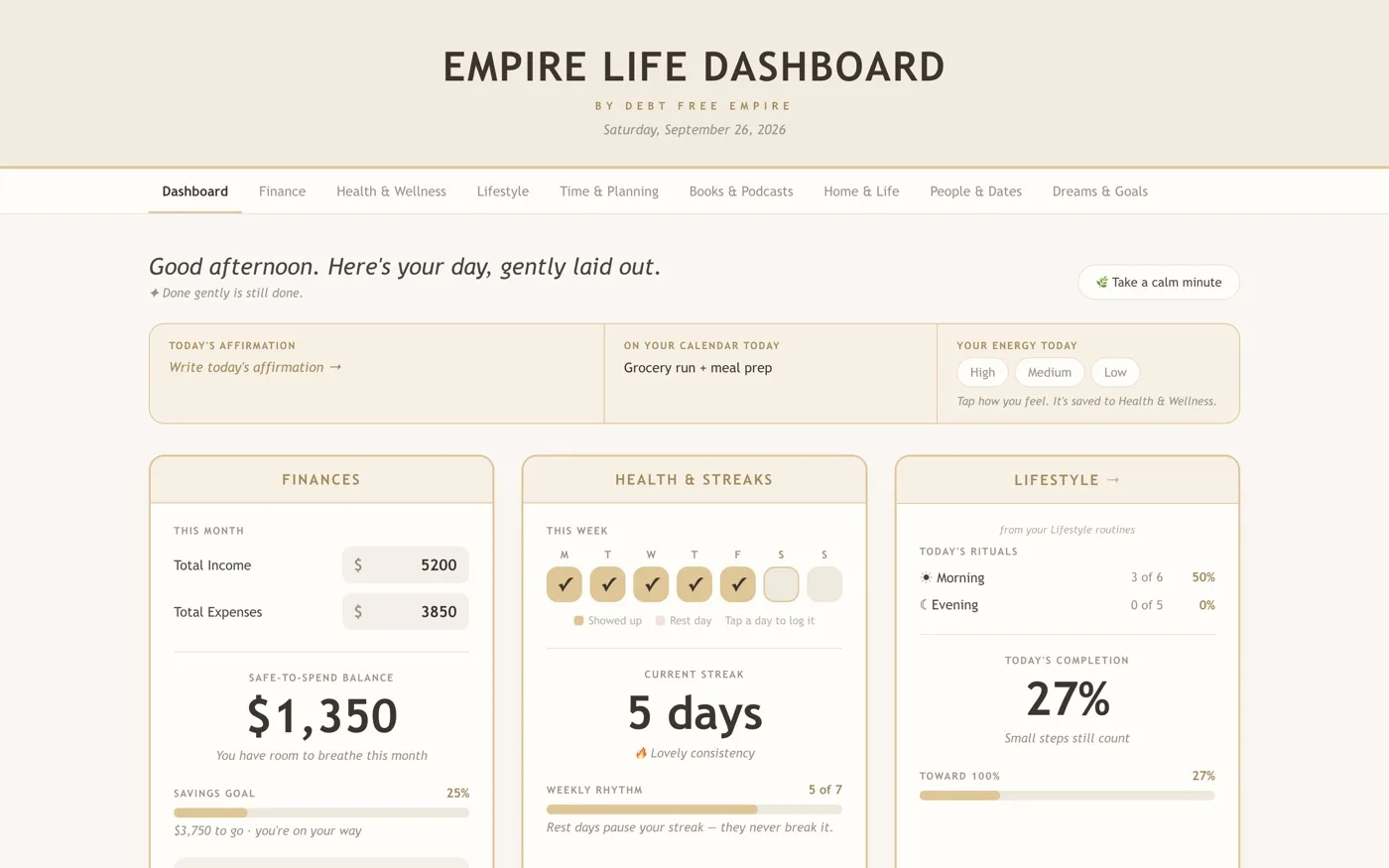
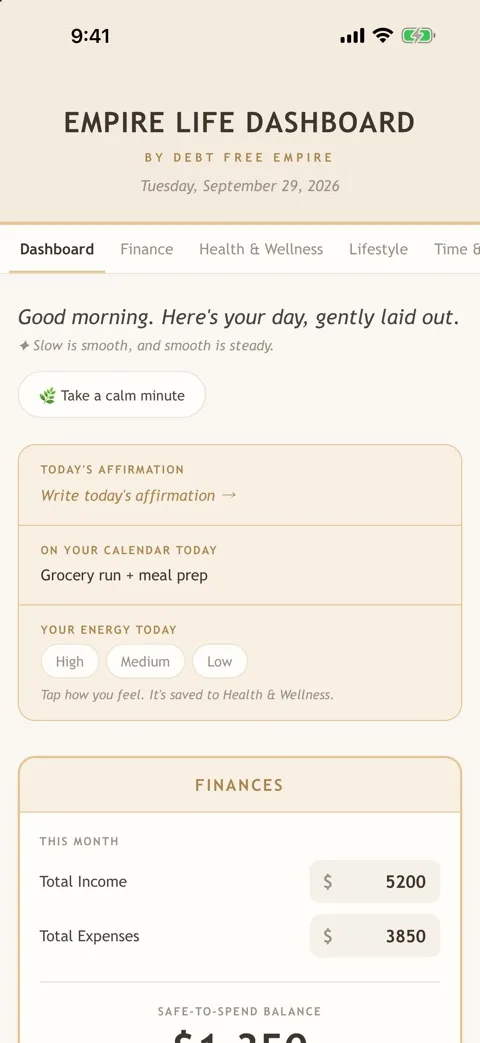
Your whole day at a glance: finances, habits, rituals and your calendar, gently laid out.
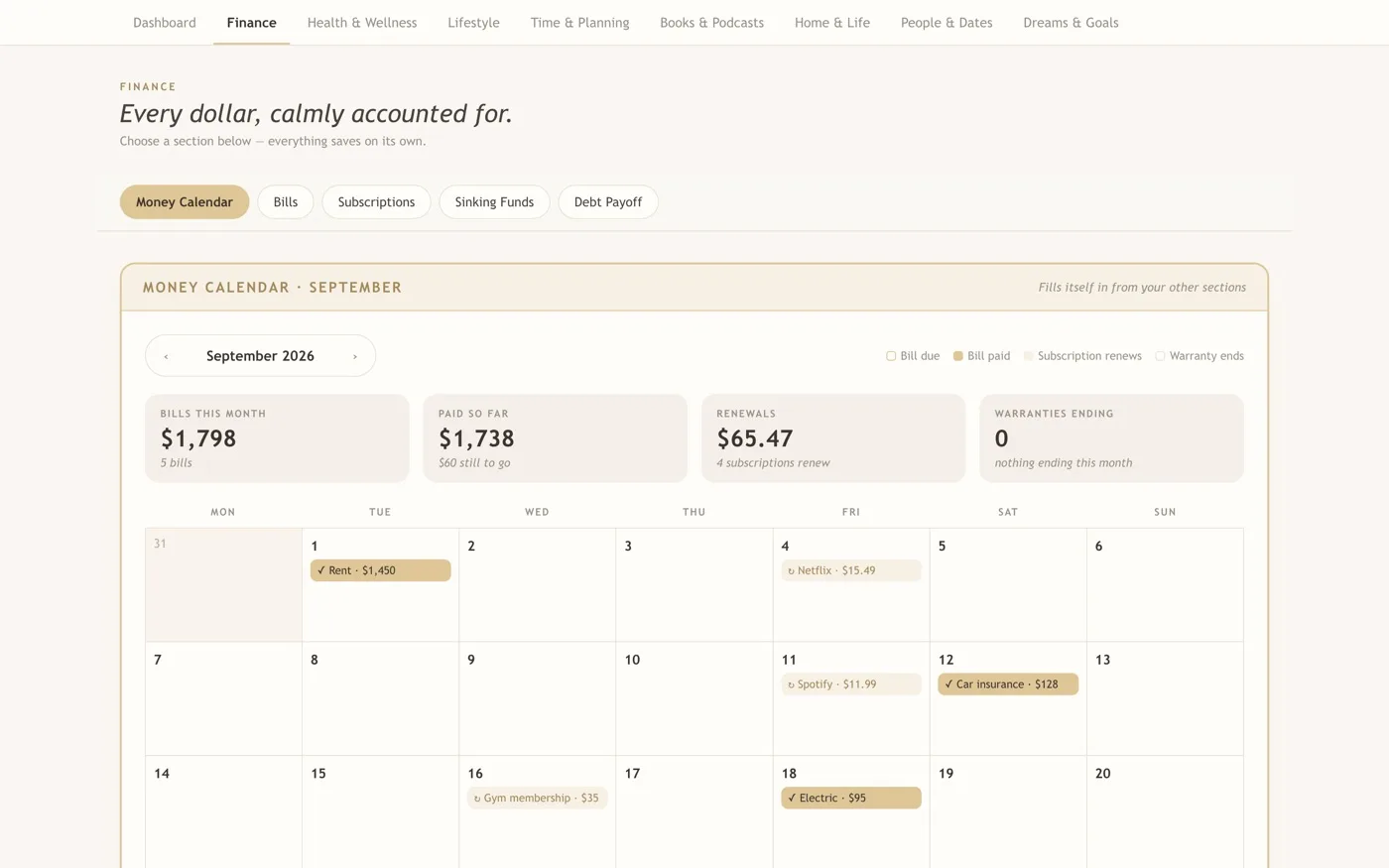
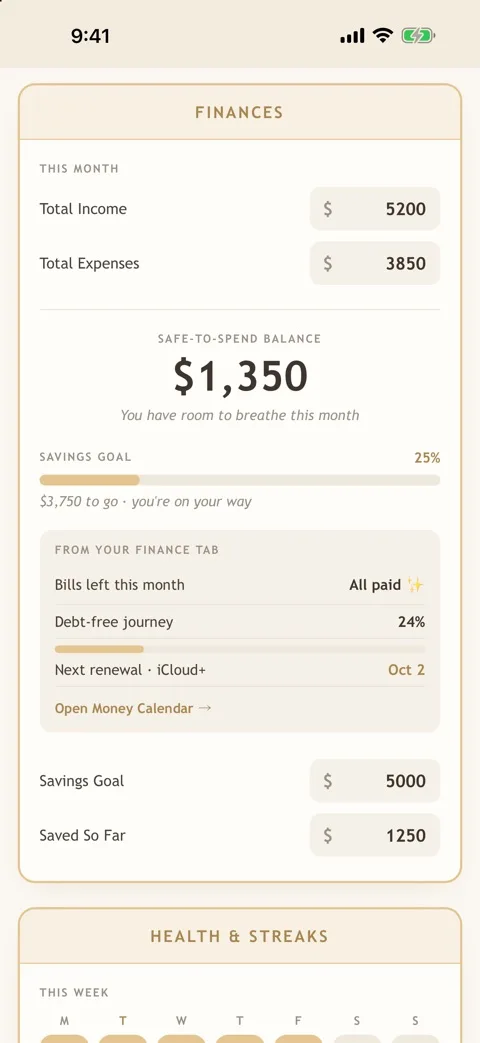
Plan your budget and see your safe-to-spend balance and savings goal in one calm place.
Track habits and how you feel. Rest days pause your streak and never break it.
Morning and evening rituals and routines that make a day feel like yours.
Lay out your days and weeks without the overwhelm.
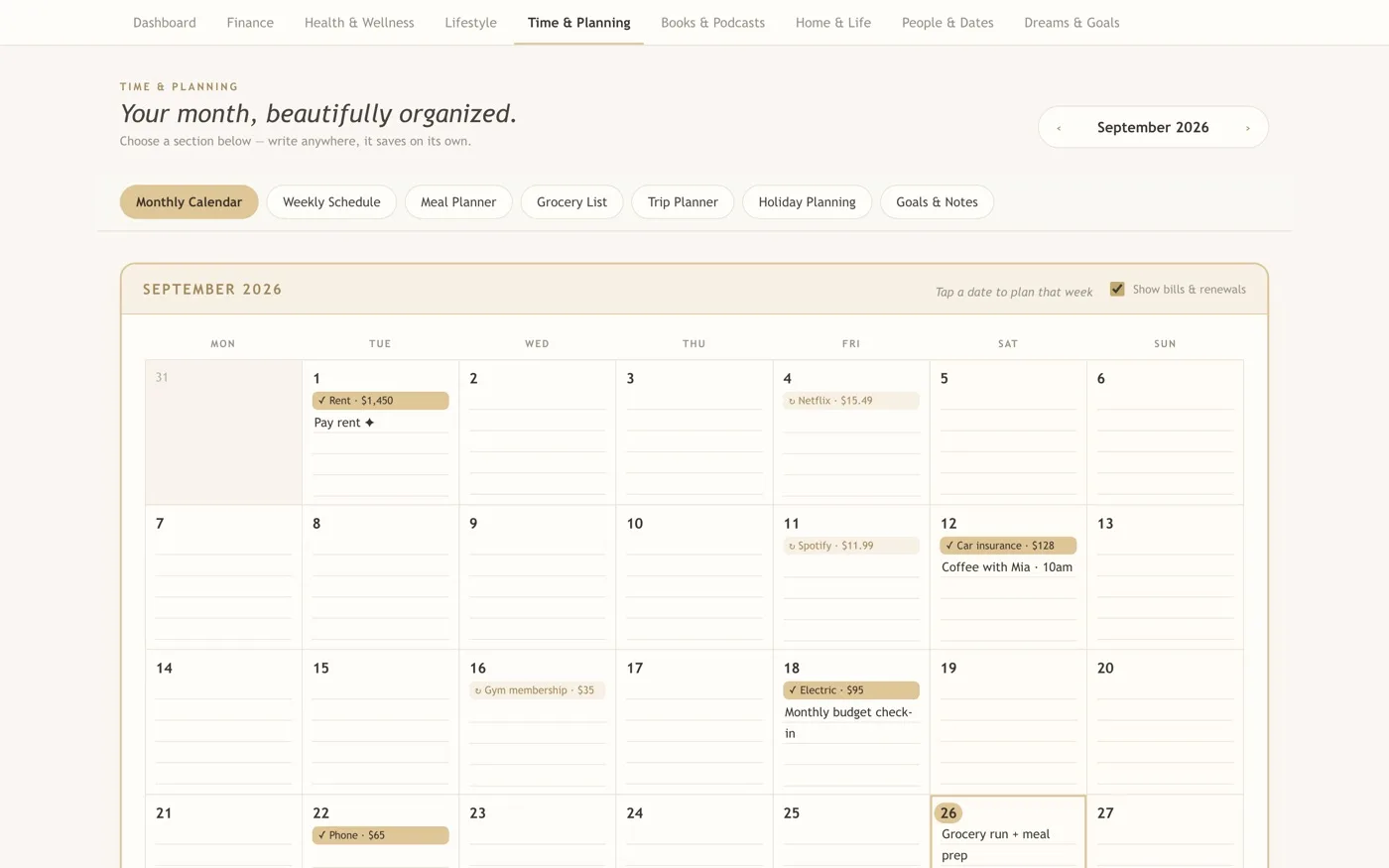
Keep what you read and listen to on a cozy bookshelf.
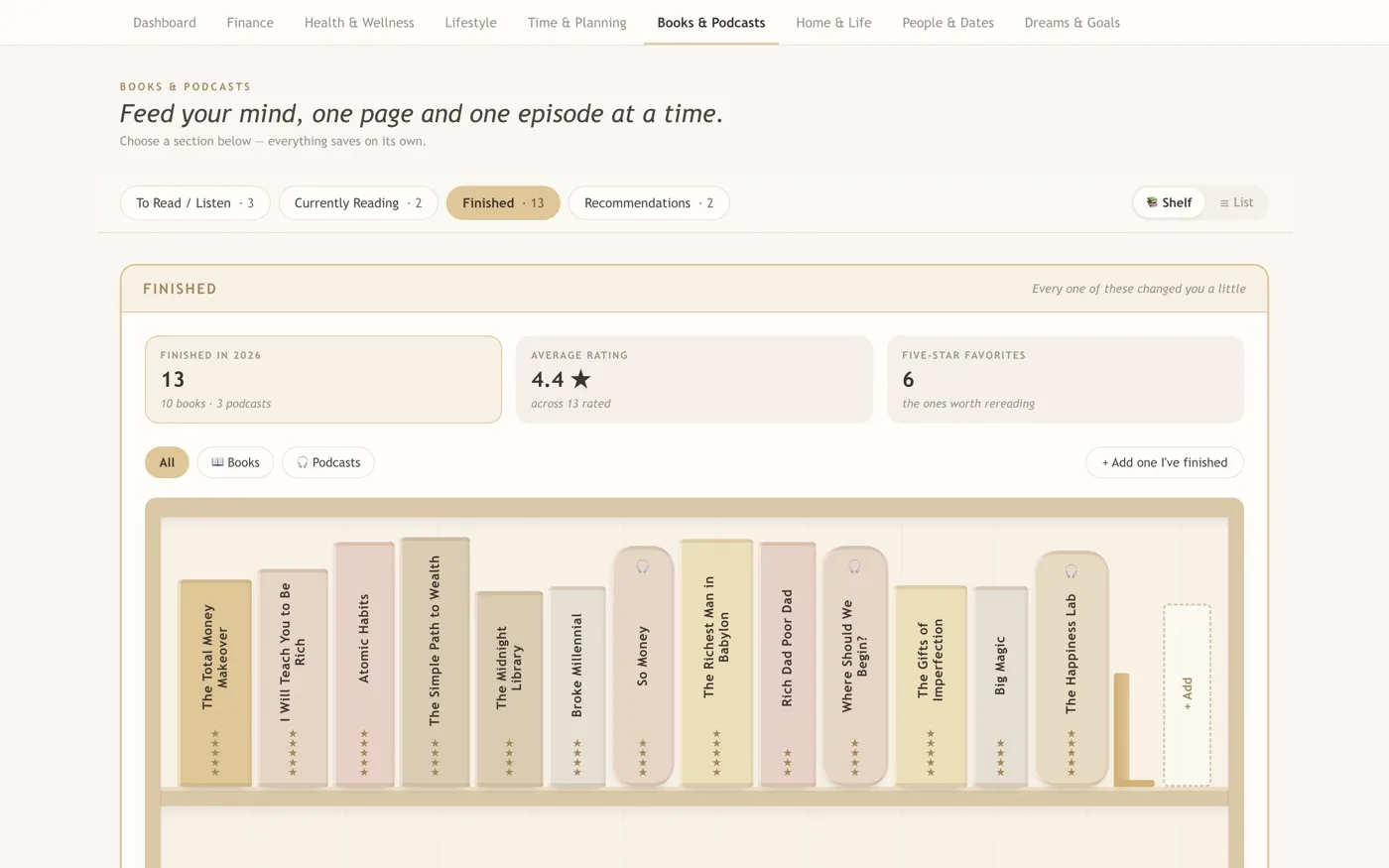
Home maintenance, car care, subscriptions, warranties and helpful contacts, kept up with gentle reminders.
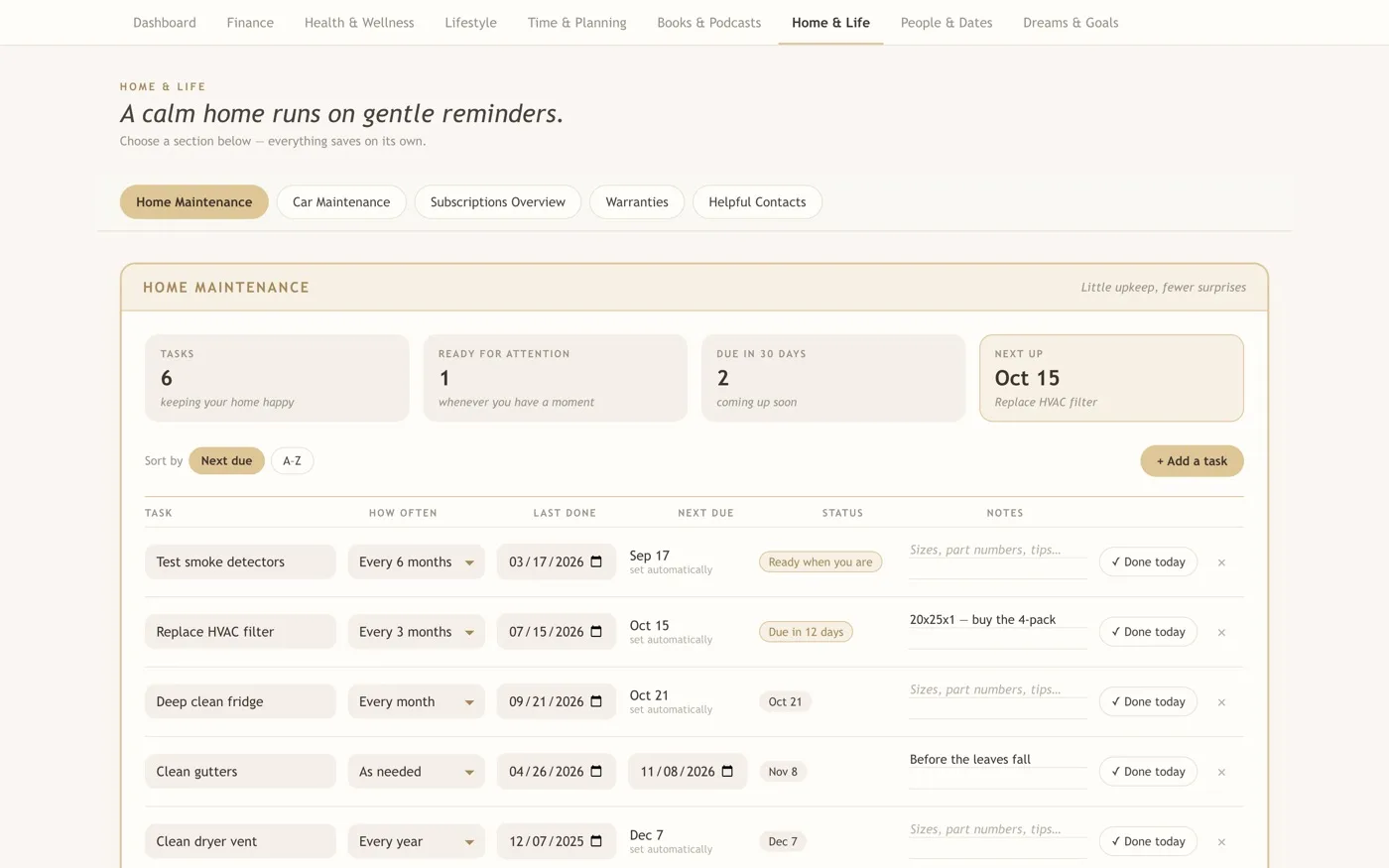
The people and dates that matter, kept close.
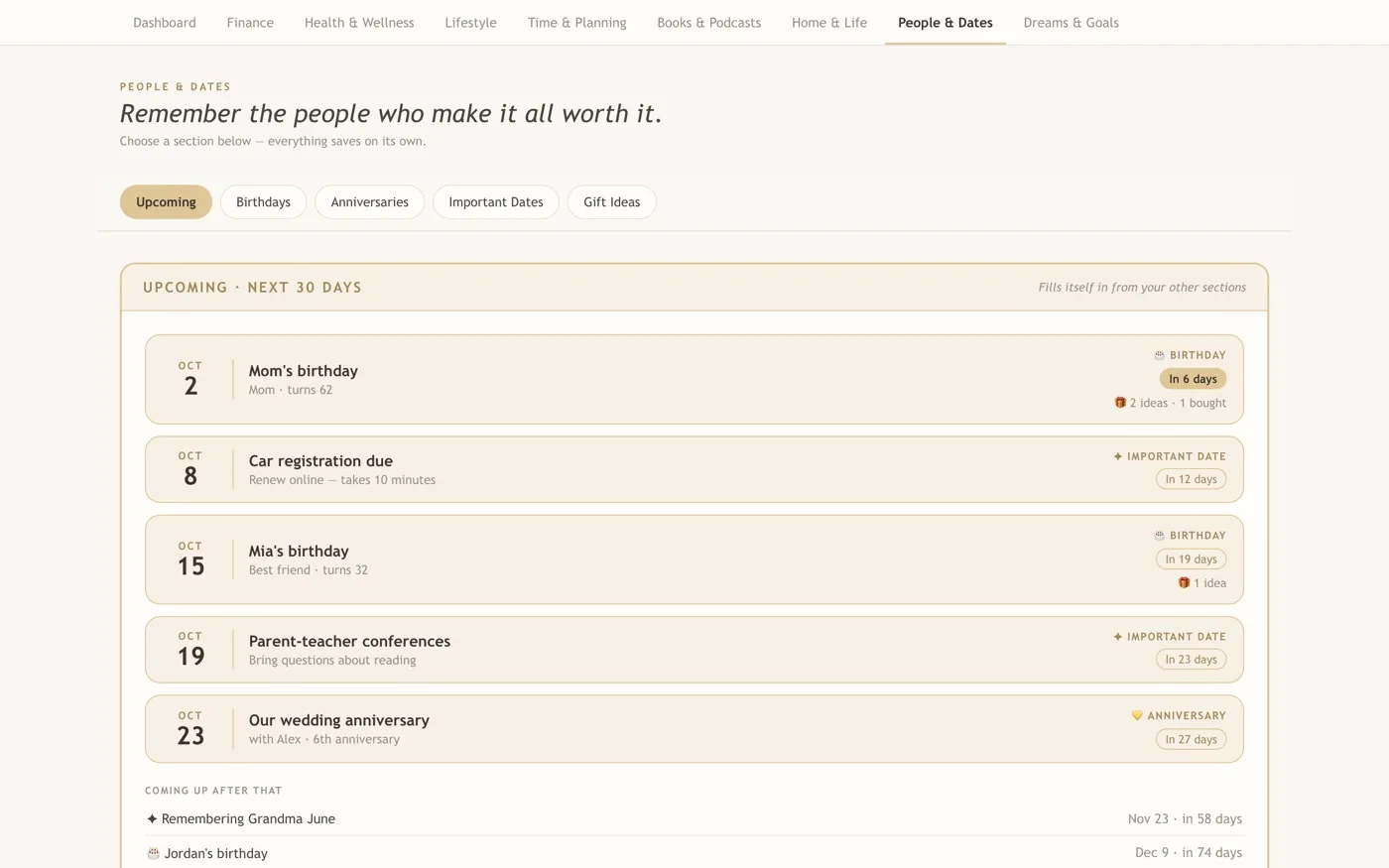
What you are working toward, one small step at a time.
Designed to feel calm
No alarming reds. Everything is gentle on the eyes.
Done gently is still done. Small steps still count.
Rest days pause your streak. They never break it.
A short guided breathing moment whenever you need it.
Made a mistake? Undo right away, or find deleted items for 30 days.
Private by design
No account. Works offline. Nothing collected.
- No account and no sign-in
- Works offline
- Your data is stored locally on your device
- Backup and restore whenever you like
Sync across your computers with iCloud Drive, Dropbox, or OneDrive. If you choose to sync, your data travels through that service under its own privacy policy.
See it in action
A full walkthrough in about a minute and a half.
Follow along, step by step
What each part of the walkthrough shows. Tap one to jump to it in the video. The numbers shown are sample data.
- 1. Dashboard
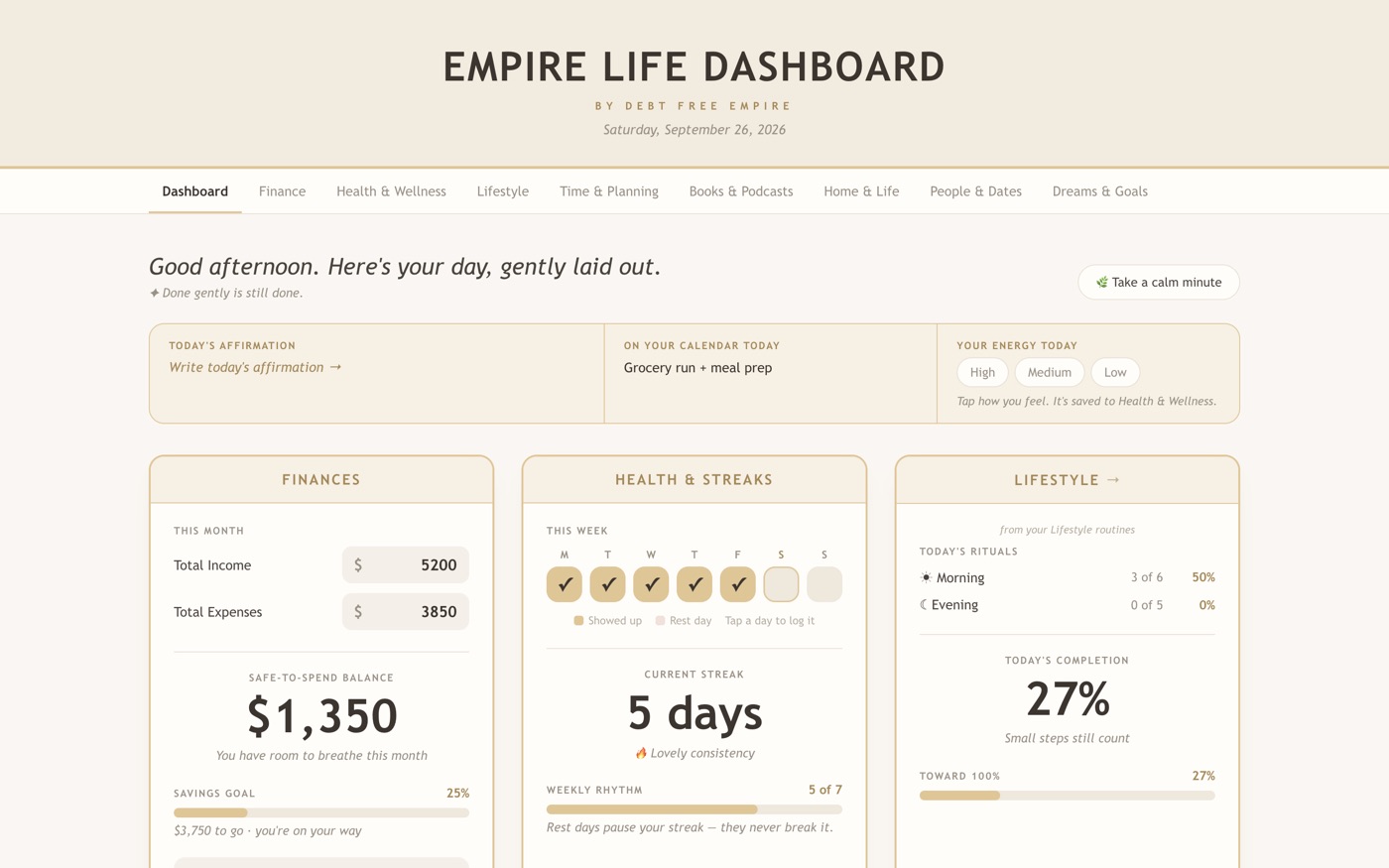
Start with your day: income and expenses, a safe-to-spend balance, your habit week and today’s rituals.
In this screenshot
- Safe-to-spend balance: $1,350, which is $5,200 income minus $3,850 expenses.
- Habit week and streak: five checked days in a row make a 5-day streak.
- Today’s completion: 27%, from your morning and evening rituals.
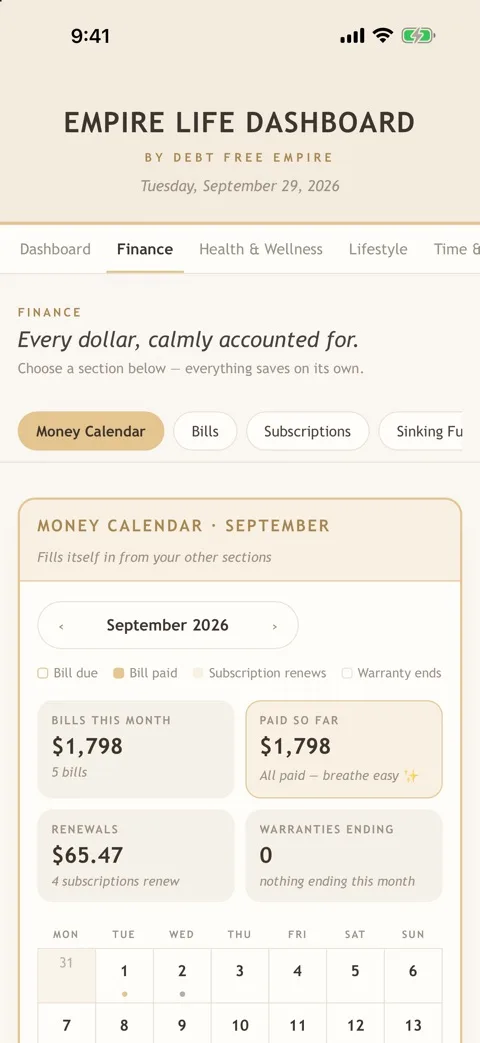
- 2. Finance
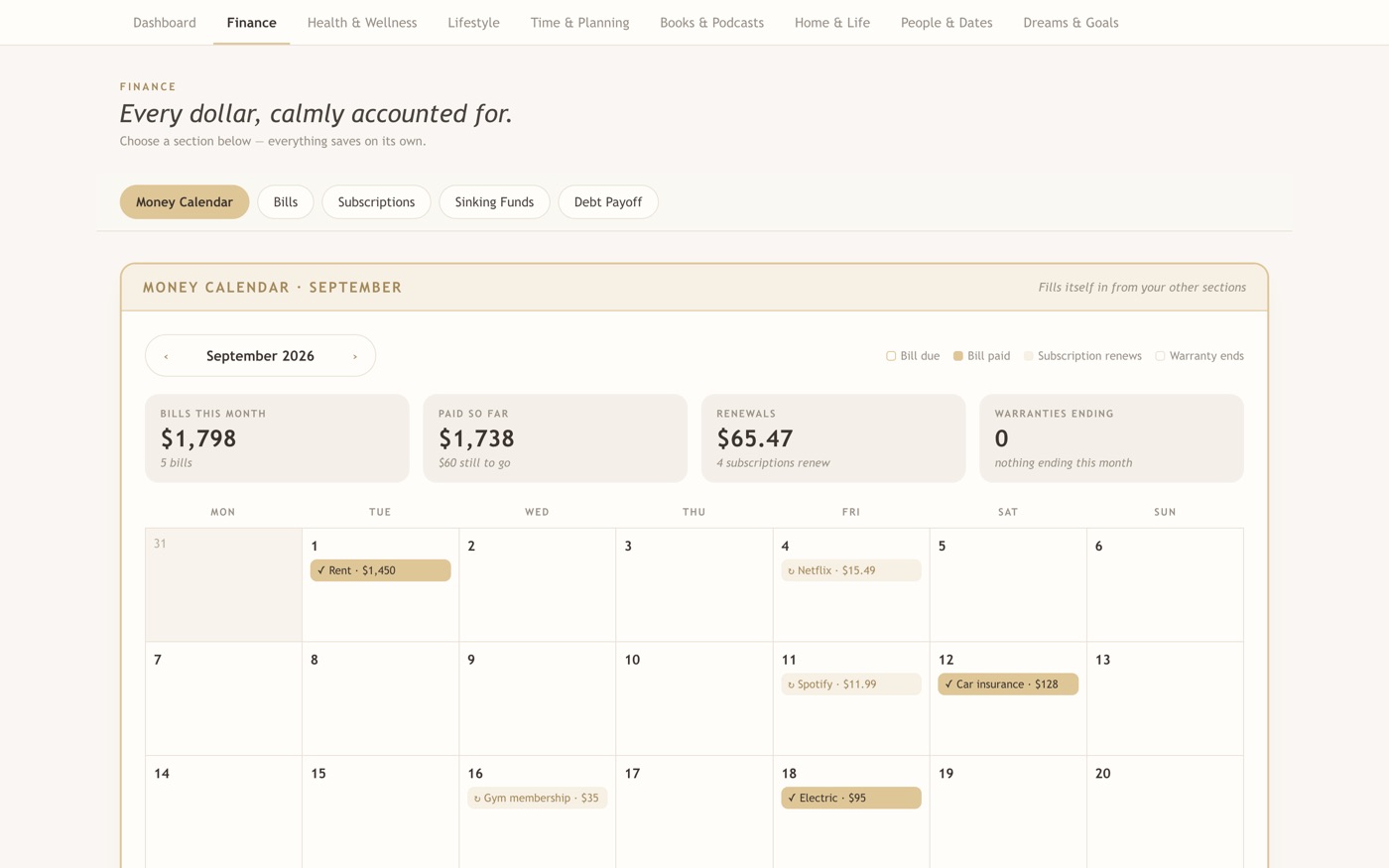
Plan your money in one place: calendar, bills, subscriptions and sinking funds. In the video, bills get checked off as they’re paid.
In this screenshot
- Summary tiles: $1,798 in bills this month, $1,738 paid so far, $60 still to go.
- The calendar marks bills (Rent, Car insurance, Electric) and subscription renewals (Netflix, Spotify).
- Sections along the top: Money Calendar, Bills, Subscriptions, Sinking Funds and Debt Payoff.
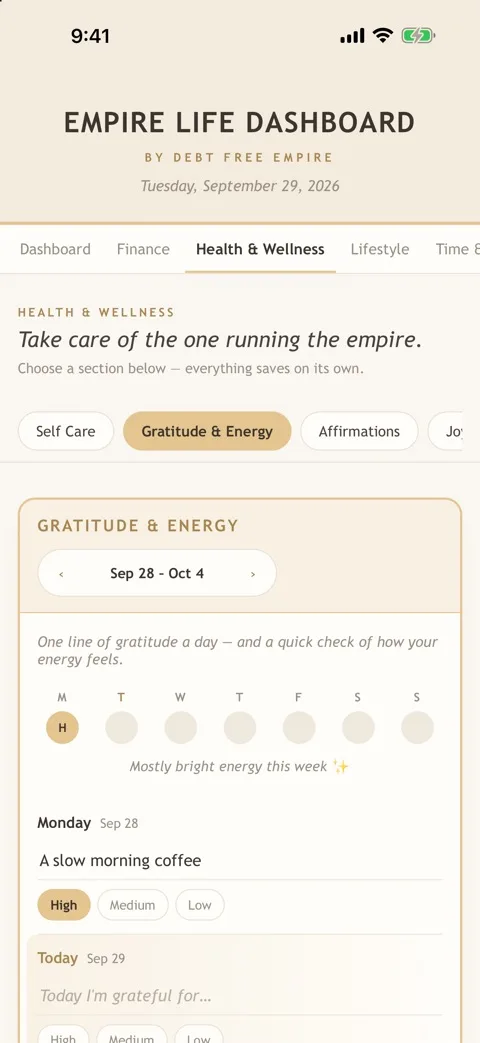
- 3. Health & Wellness
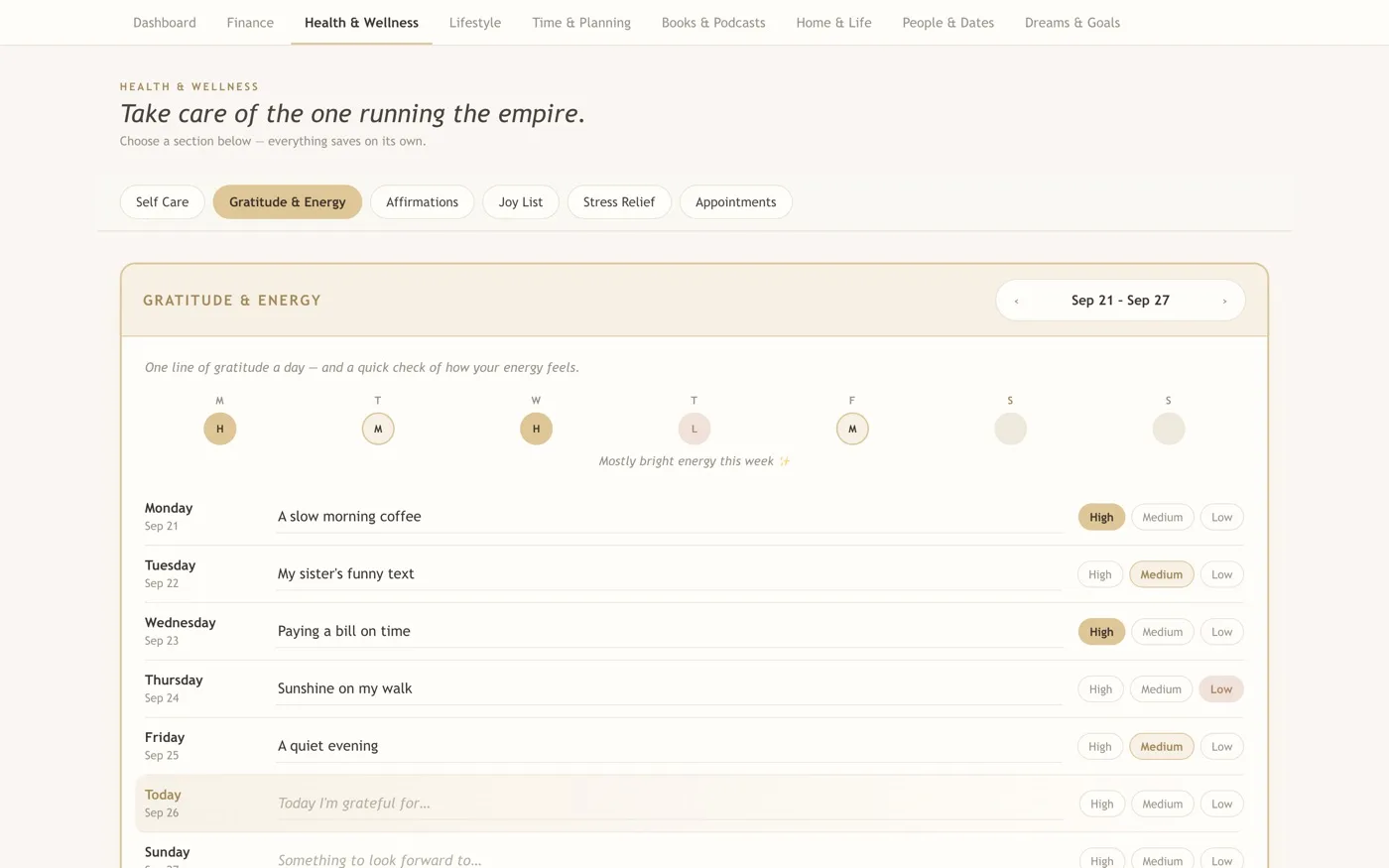
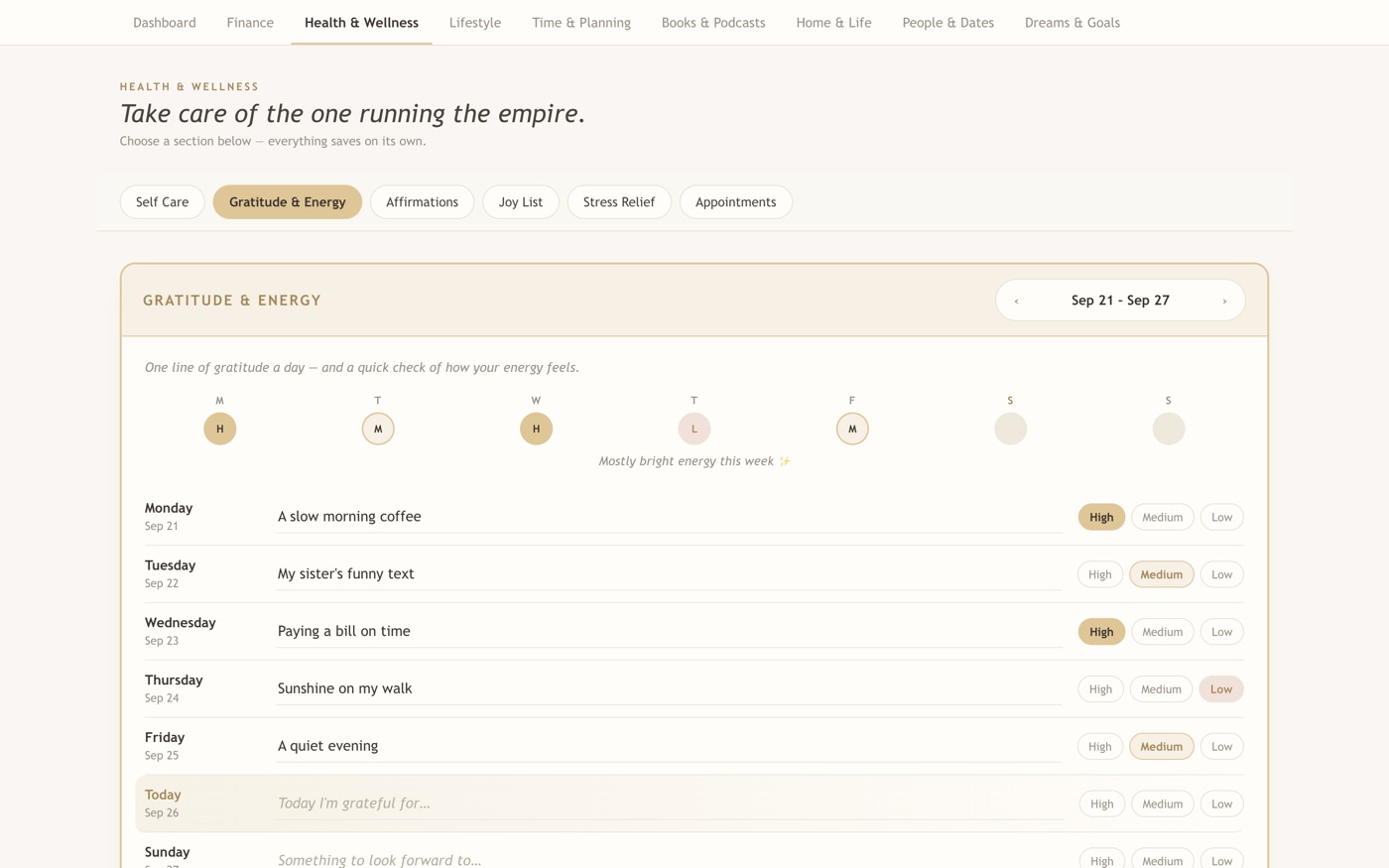
Write one line of gratitude a day and note how your energy feels.
In this screenshot
- One line of gratitude a day, such as “A slow morning coffee”.
- Tap High, Medium or Low to log how your energy feels that day.
- The circles across the top sum up the week: “Mostly bright energy this week”.
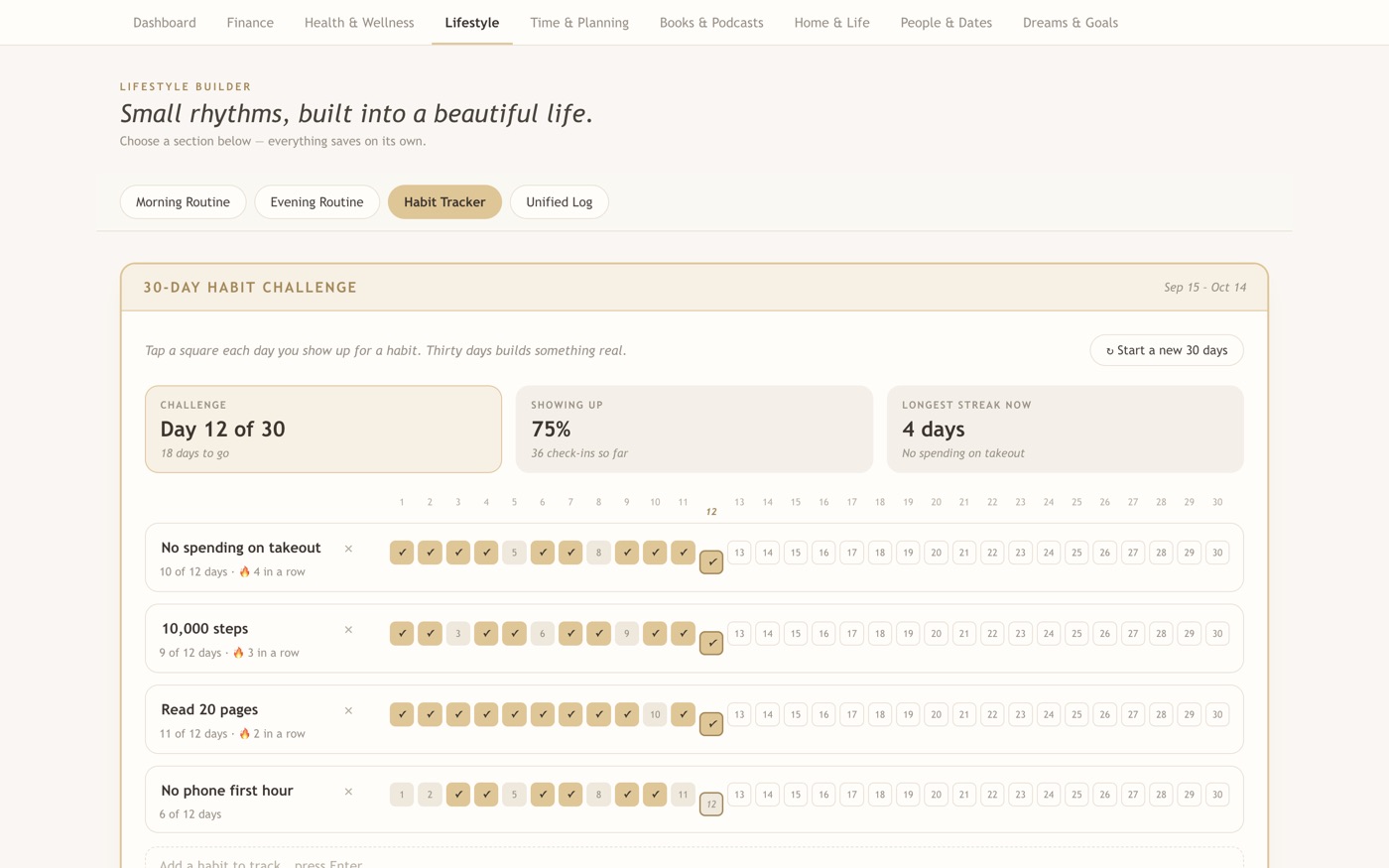
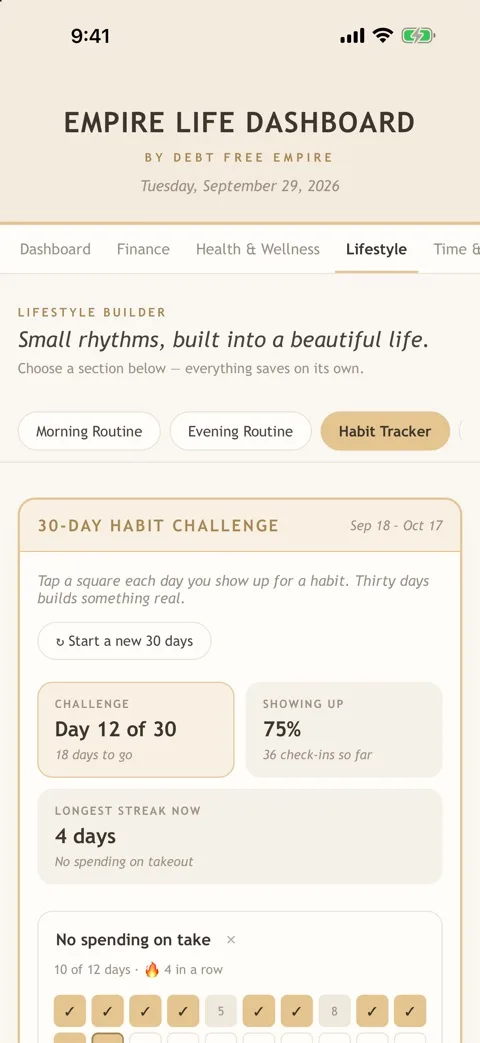
- 4. Lifestyle
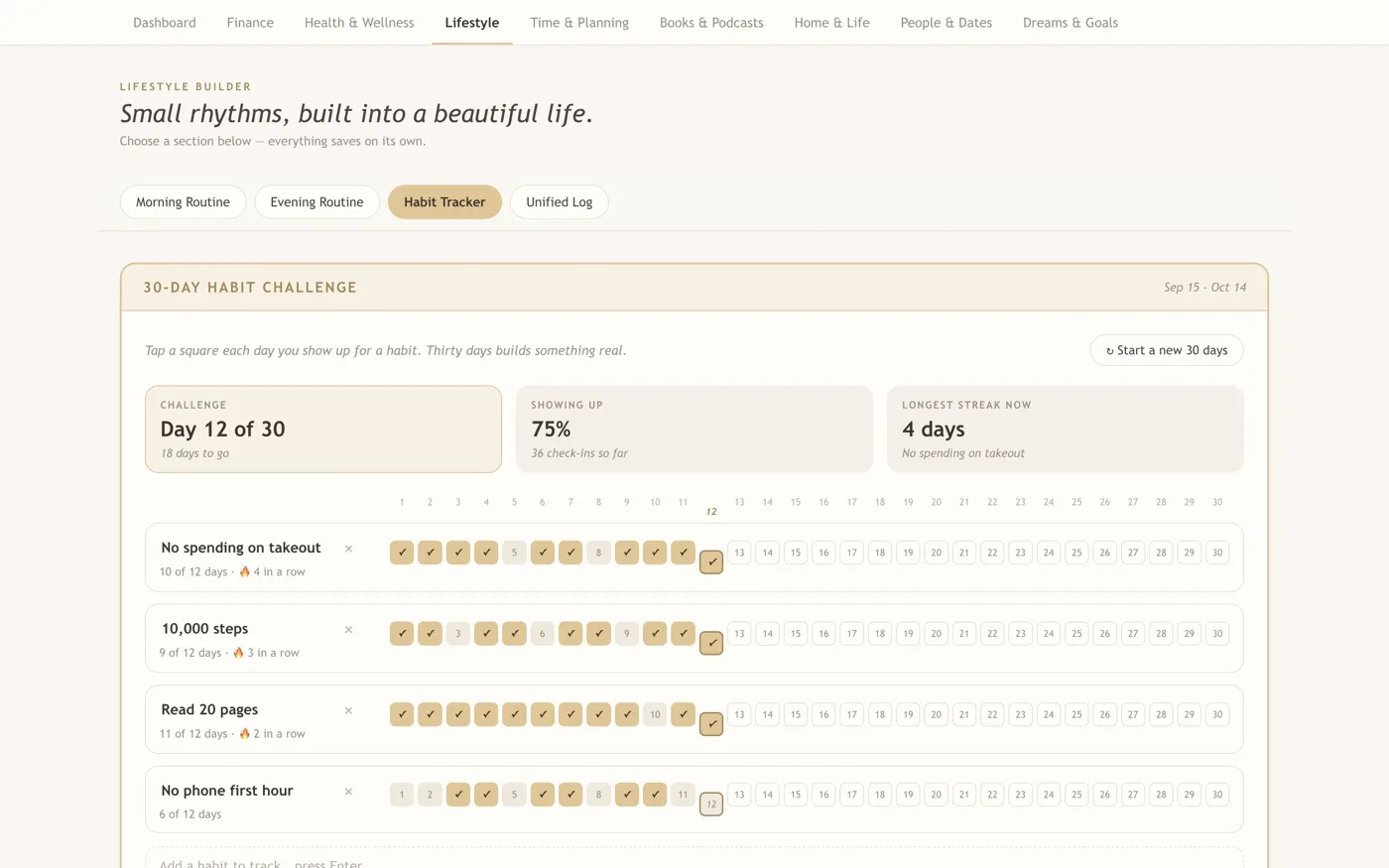
Tick off morning rituals and follow a 30-day habit challenge, one square a day.
In this screenshot
- Day 12 of 30: tap a square each day you show up for a habit.
- Every habit has its own streak, like “No spending on takeout: 10 of 12 days, 4 in a row”.
- “Showing up 75%” is 36 check-ins out of the 48 possible so far (four habits over 12 days).
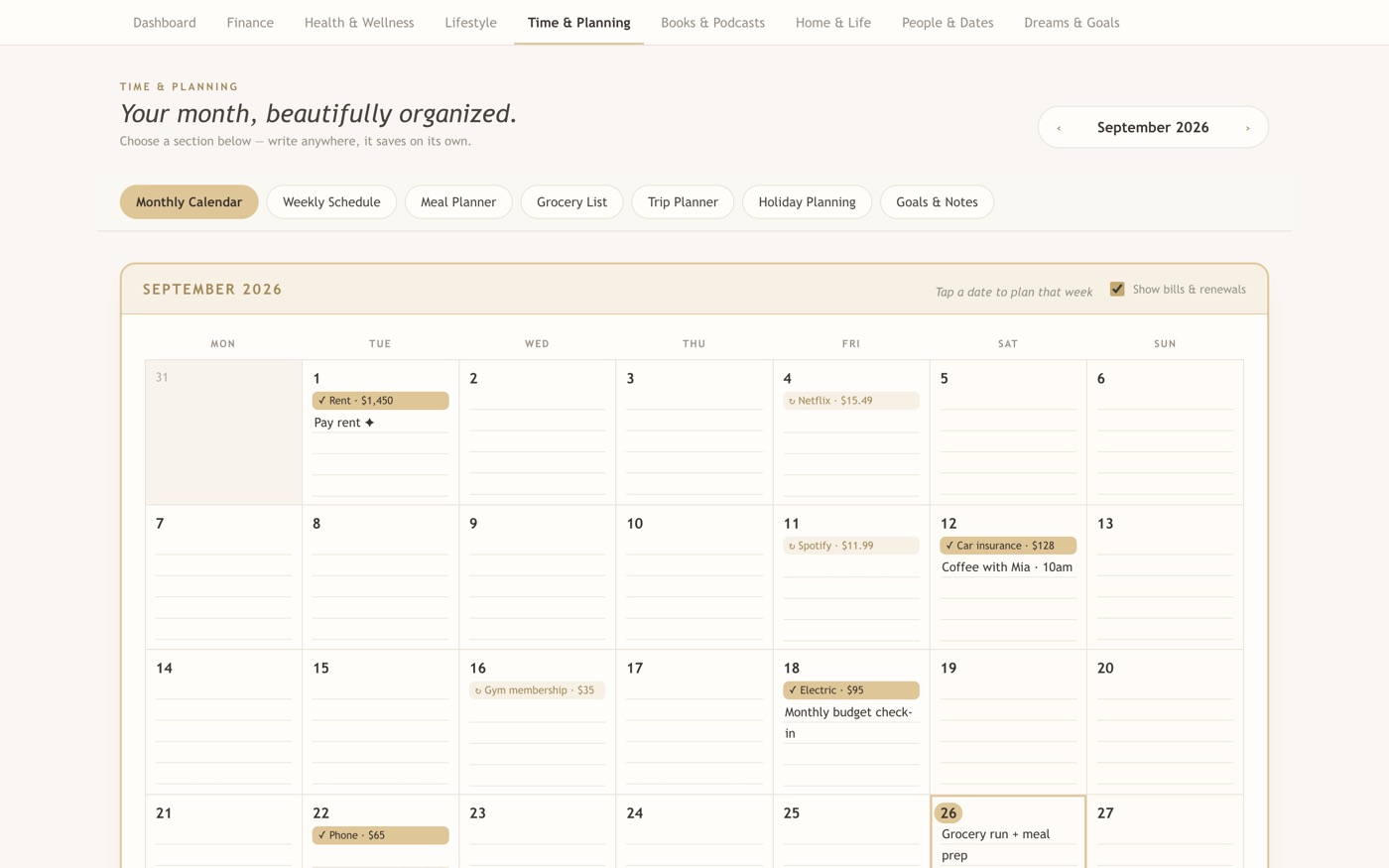
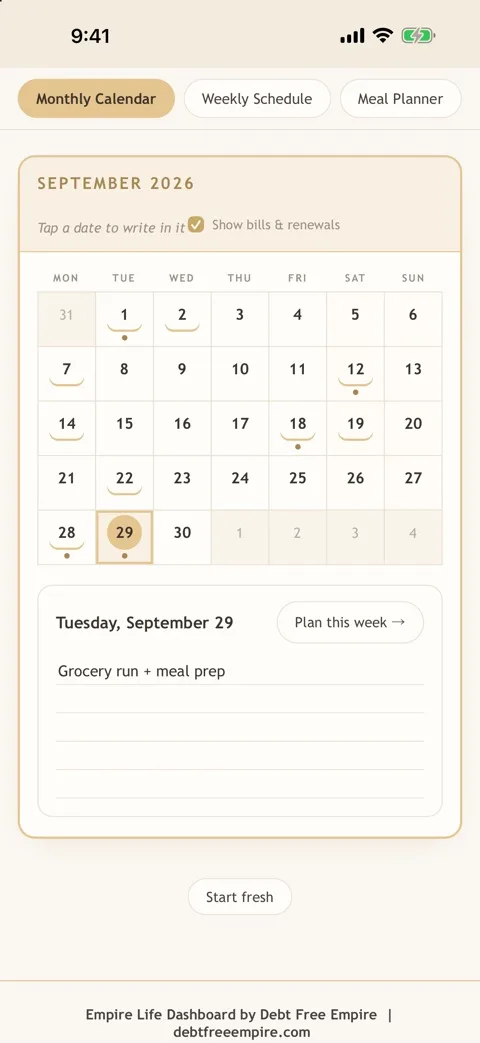
- 5. Time & Planning
See your month on a calendar, then plan your week, meals and a grocery list you check off as you shop.
In this screenshot
- Bills and renewals land on their due dates; the “Show bills & renewals” box turns them on or off.
- Add your own notes to any date, like “Coffee with Mia, 10am”.
- More sections: Weekly Schedule, Meal Planner, Grocery List, Trip Planner, Holiday Planning and Goals & Notes.
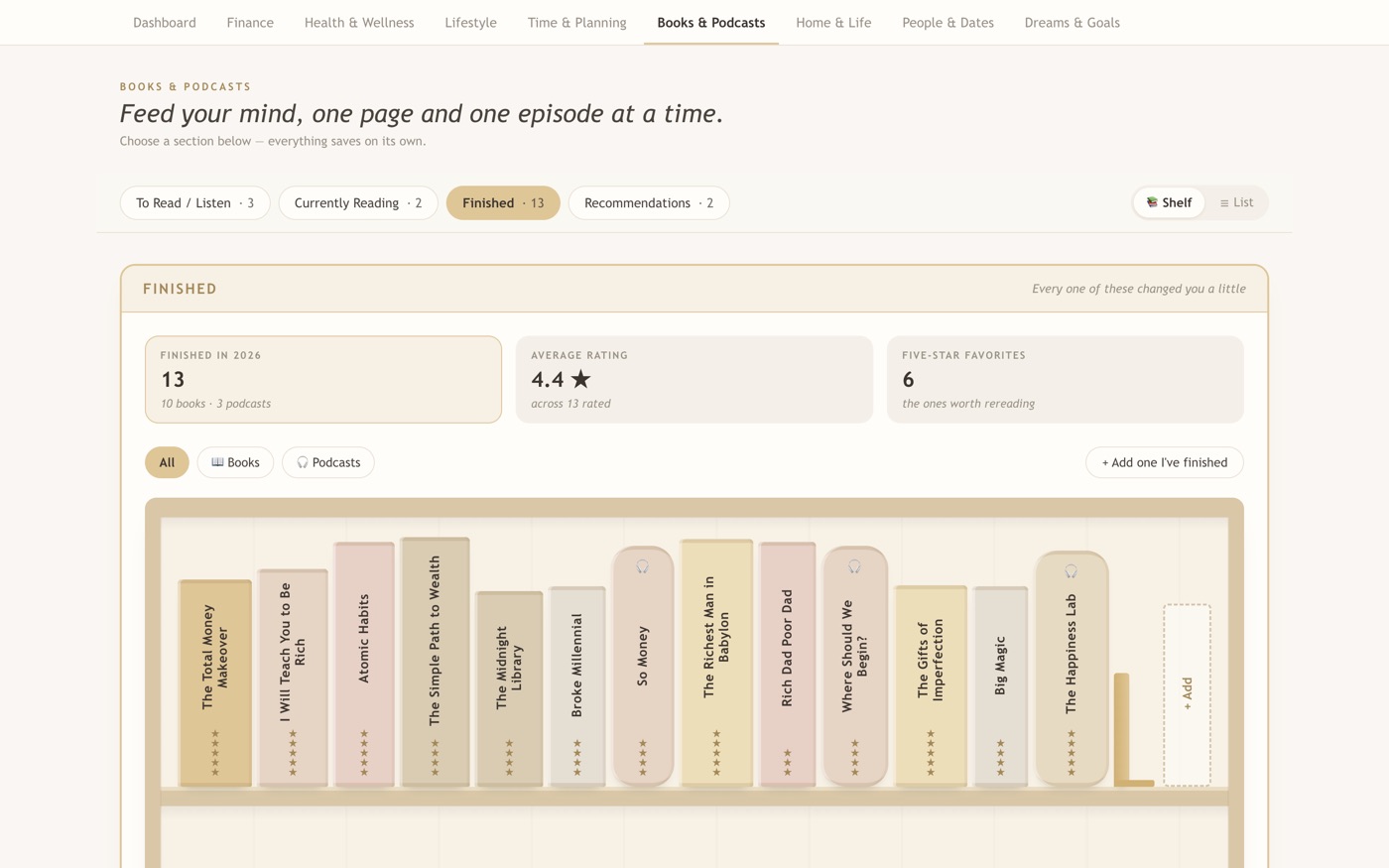
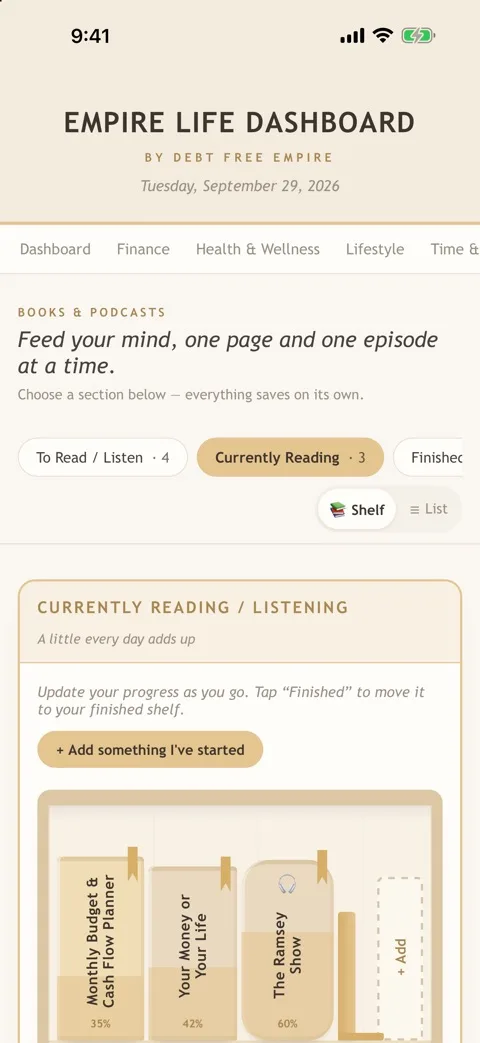
- 6. Books & Podcasts
Keep what you read and listen to on a cozy bookshelf, and move each one along as you go.
In this screenshot
- Finished in 2026: 13 (10 books and 3 podcasts), with a 4.4-star average rating.
- Every spine on the shelf is a title you finished, with its star rating.
- Sections: To Read / Listen, Currently Reading, Finished and Recommendations.
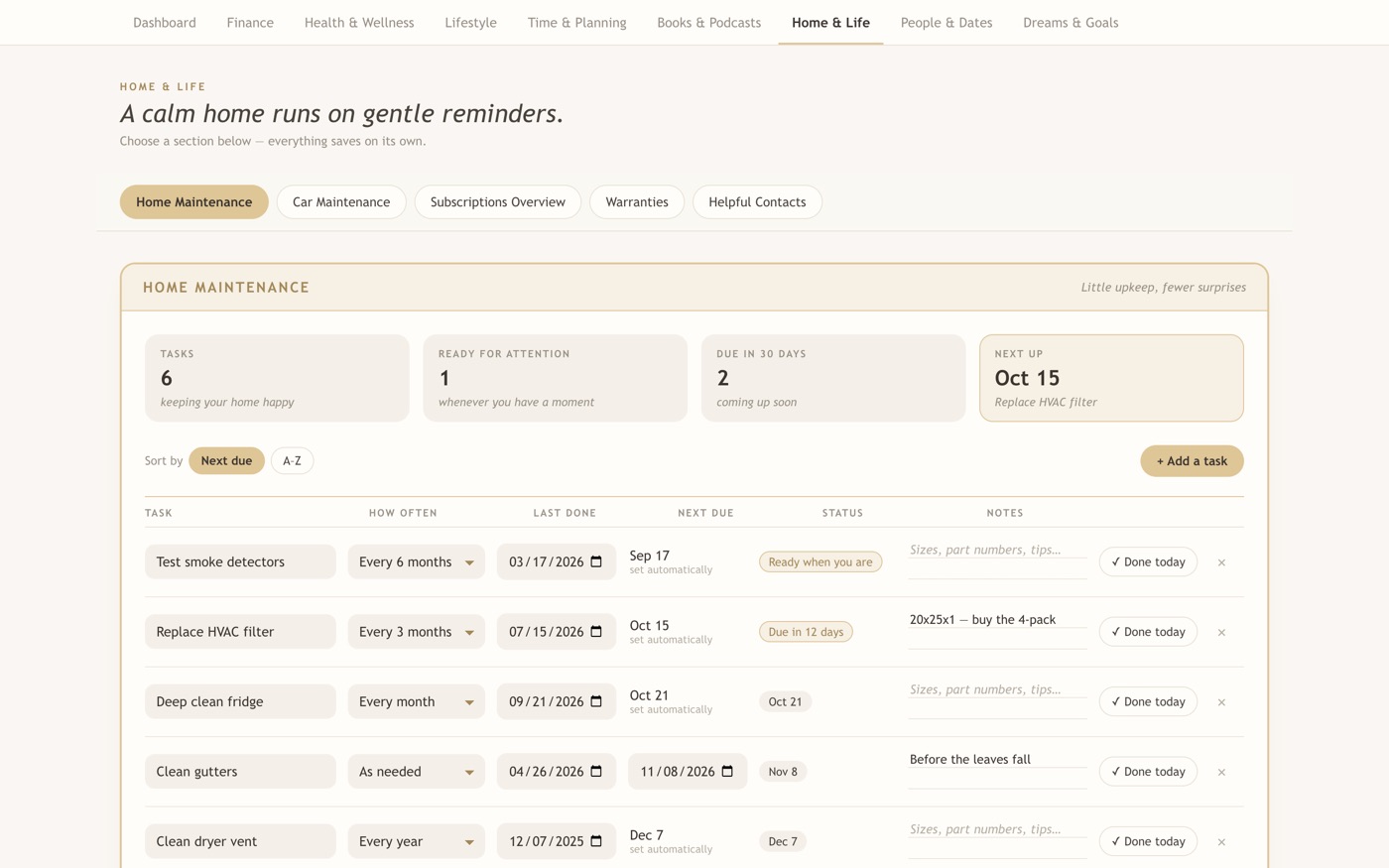
- 7. Home & Life
Keep up with home maintenance. Tap “Done today” and the next due date sets itself.
In this screenshot
- Each task shows how often it repeats and when it was last done; the next due date is set automatically.
- Status labels such as “Ready when you are” and “Due in 12 days” show what needs attention.
- Tap “Done today” and the next due date moves forward.
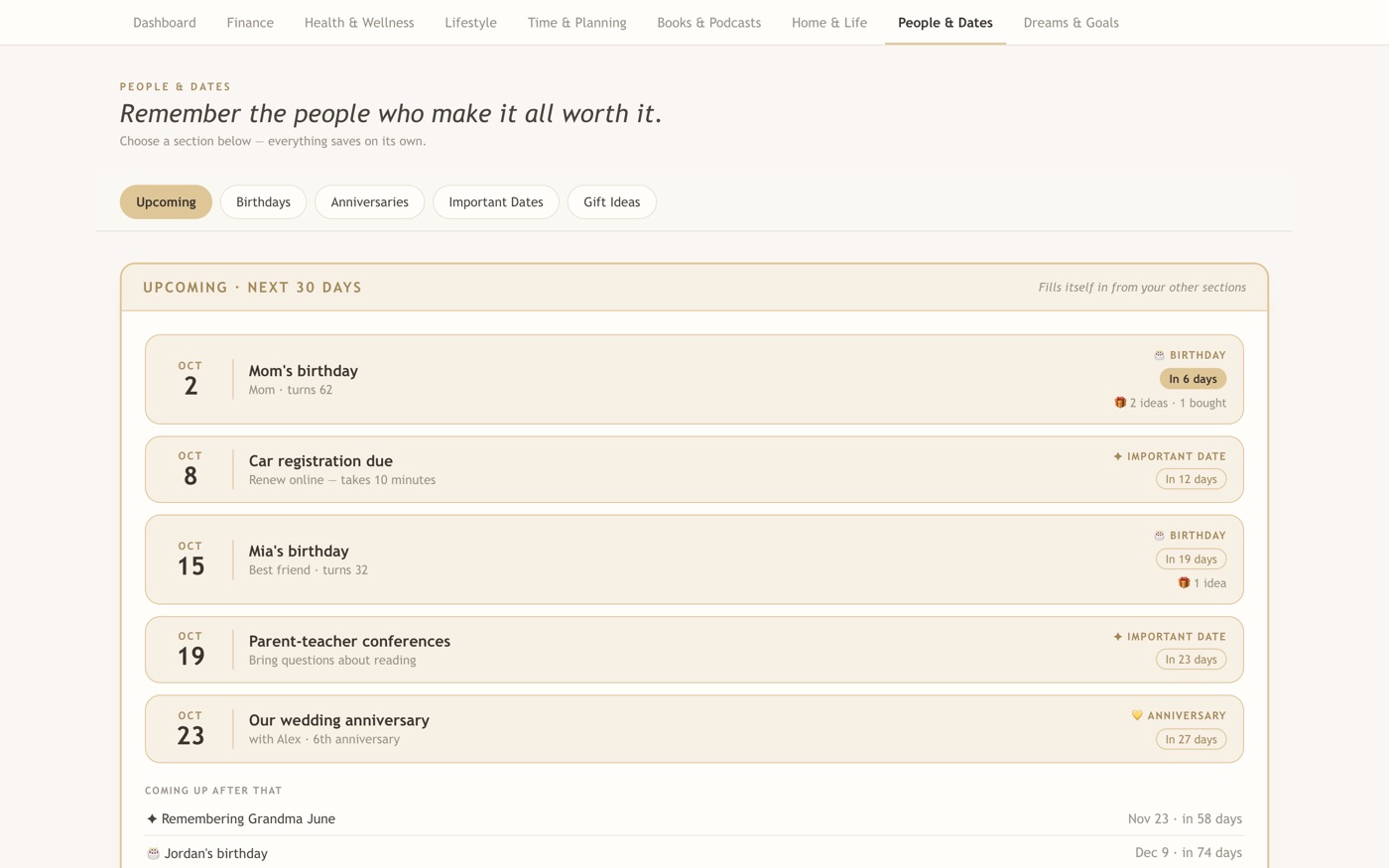
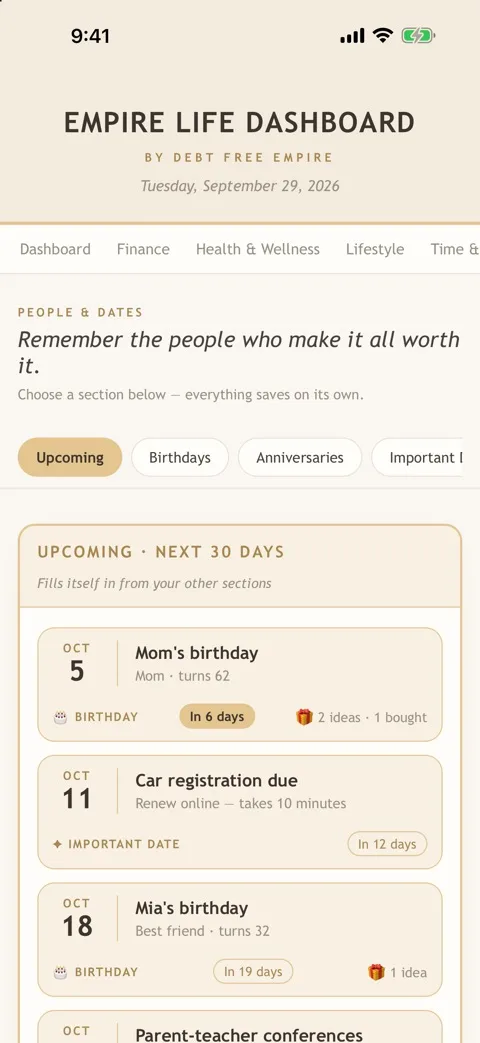
- 8. People & Dates
See upcoming birthdays and important dates, plus gift ideas and budgets for the people who matter.
In this screenshot
- The Upcoming view lists the next 30 days: birthdays, important dates and anniversaries.
- Each entry counts down, such as “In 6 days”, and shows gift ideas and what you have already bought.
- More sections: Birthdays, Anniversaries, Important Dates and Gift Ideas.
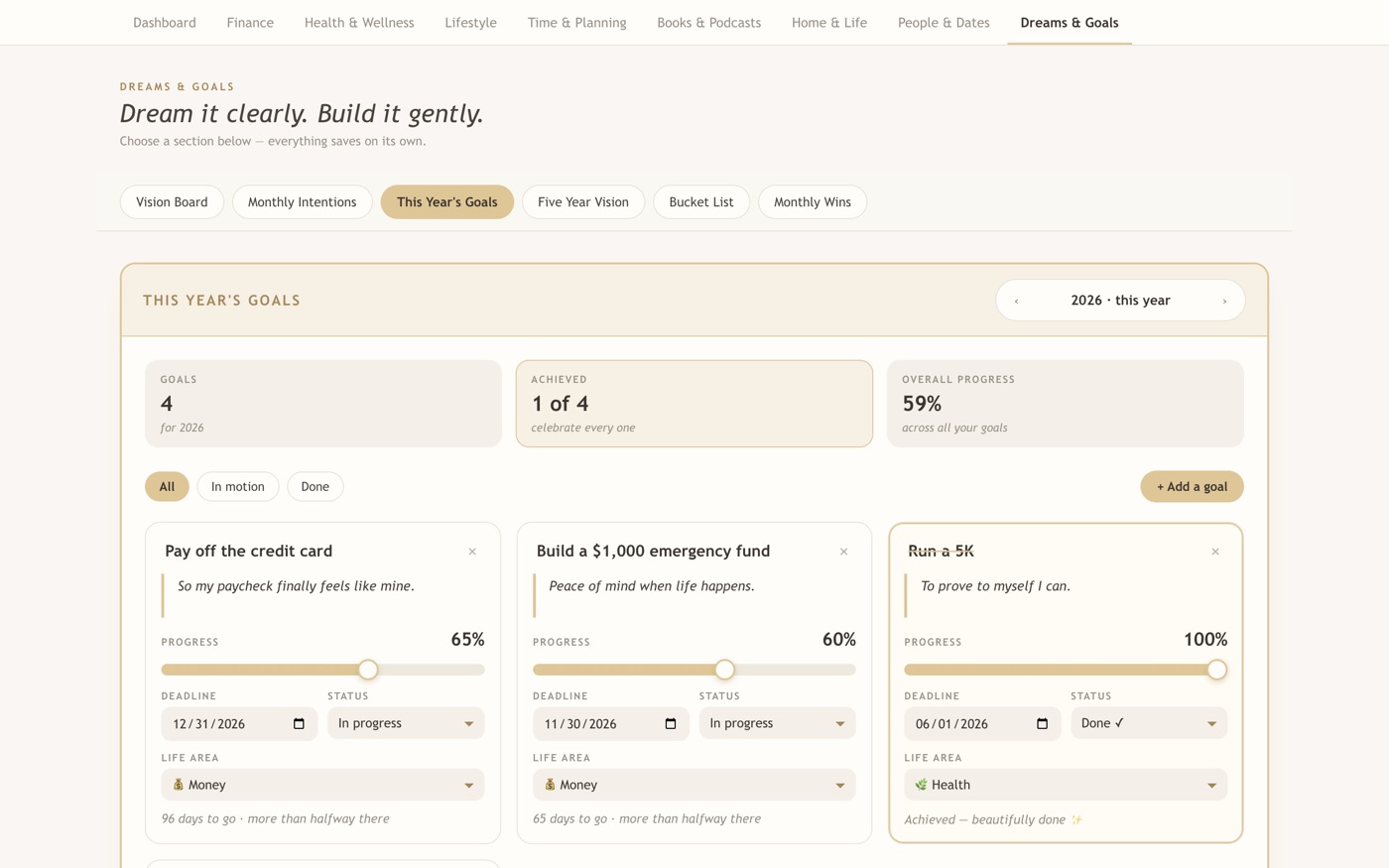
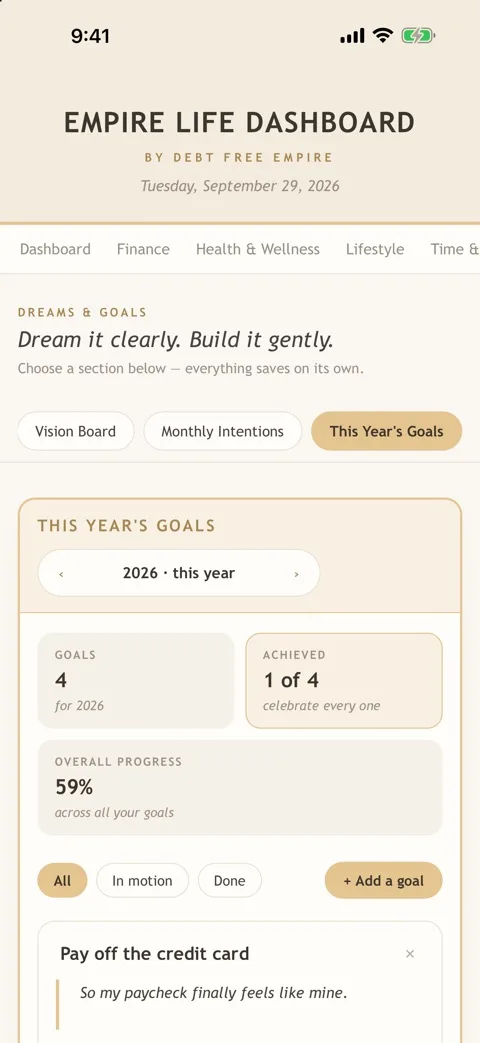
- 9. Dreams & Goals
Set goals with deadlines and slide the progress bar as you move forward.
In this screenshot
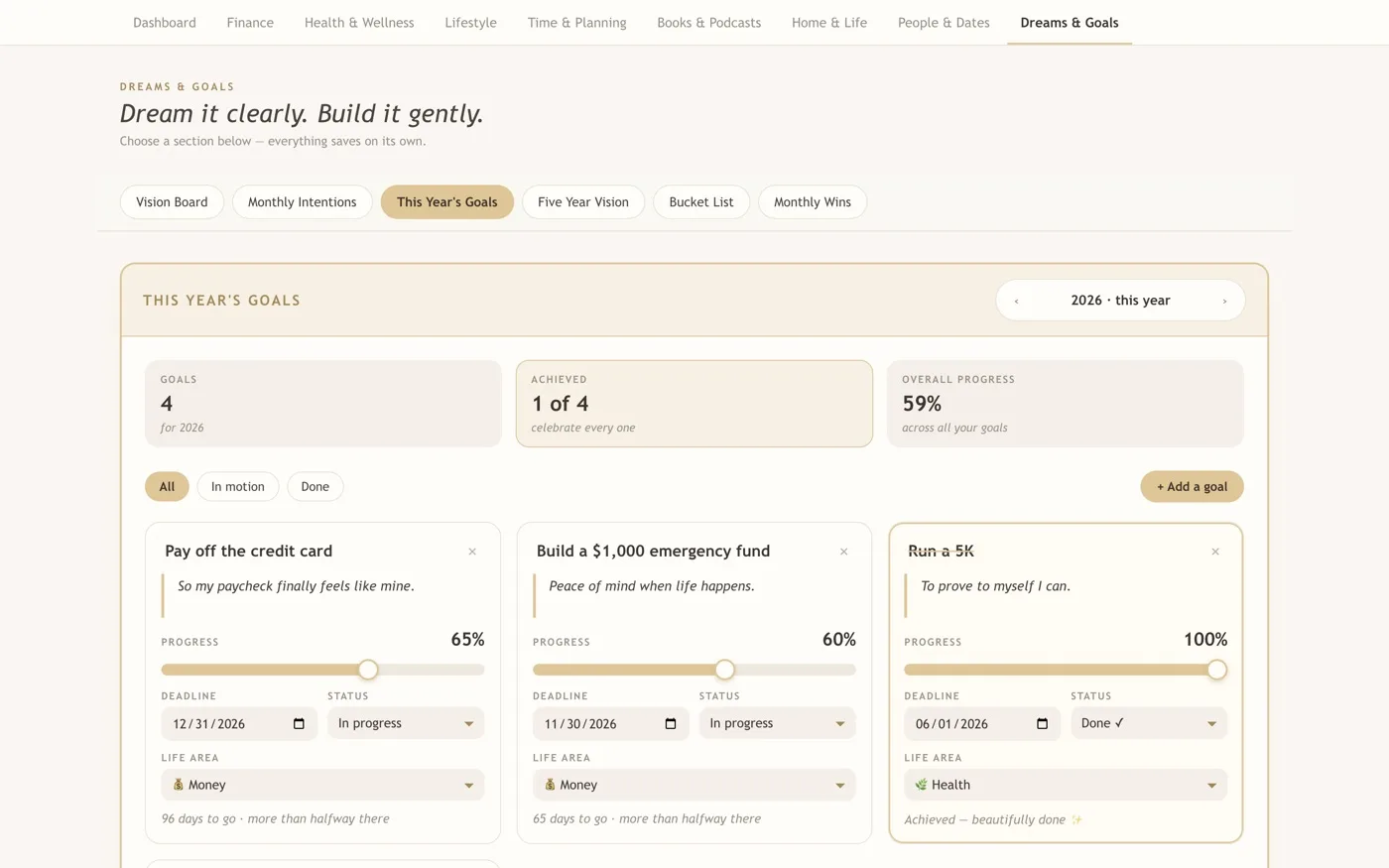
- Top tiles: 4 goals, 1 of 4 achieved and 59% overall progress.
- Each goal has a progress slider, a deadline, a status and a life area.
- A finished goal reads “Done” at 100%, like “Run a 5K”.
Coming soon to iPhone & iPad
Your calm planner, in your pocket.

Frequently asked questions
How much does it cost?
Empire Life Dashboard is a one-time purchase. The Microsoft Store price is $36.99 and the Mac App Store price is $37.
Is there a subscription?
No. You pay once. There is no subscription.
Do I need an account?
No. There are no accounts and no sign-in.
Is my information private?
Yes. The app has no accounts, works offline, and collects nothing. Your data is stored locally on your device. If you choose to sync using a folder service such as iCloud Drive, Dropbox or OneDrive, your data travels through that service under its own privacy policy.
Does it work on Mac or Windows?
Yes, both. Windows is on the Microsoft Store and Mac is on the Mac App Store. iPhone and iPad versions are coming after that.
How do I move to a new computer?
Today, use backup and restore: on the old computer open the Dashboard, scroll to the Your data card and choose Download my backup, then restore it on the new one with Restore from a backup. In the next update, you will also be able to sync across your computers with a folder you choose.
Buying on Mac? The iPhone version is planned as part of it
We plan to release Empire Life Dashboard for iPhone and iPad as part of the same App Store purchase, so people who buy it from the Mac App Store should be able to download the iPhone version at no extra cost when it arrives. We don’t have a release date yet. Microsoft Store purchases are separate from Apple’s, so this doesn’t apply automatically to Windows purchases.
iPhone version coming soon
Be the first to know when Empire Life Dashboard arrives on iPhone, and hear first about launch pricing. No spam, ever.
For educational purposes only.